BossRunner - Automated Endgame Boss Farming for Path of Exile
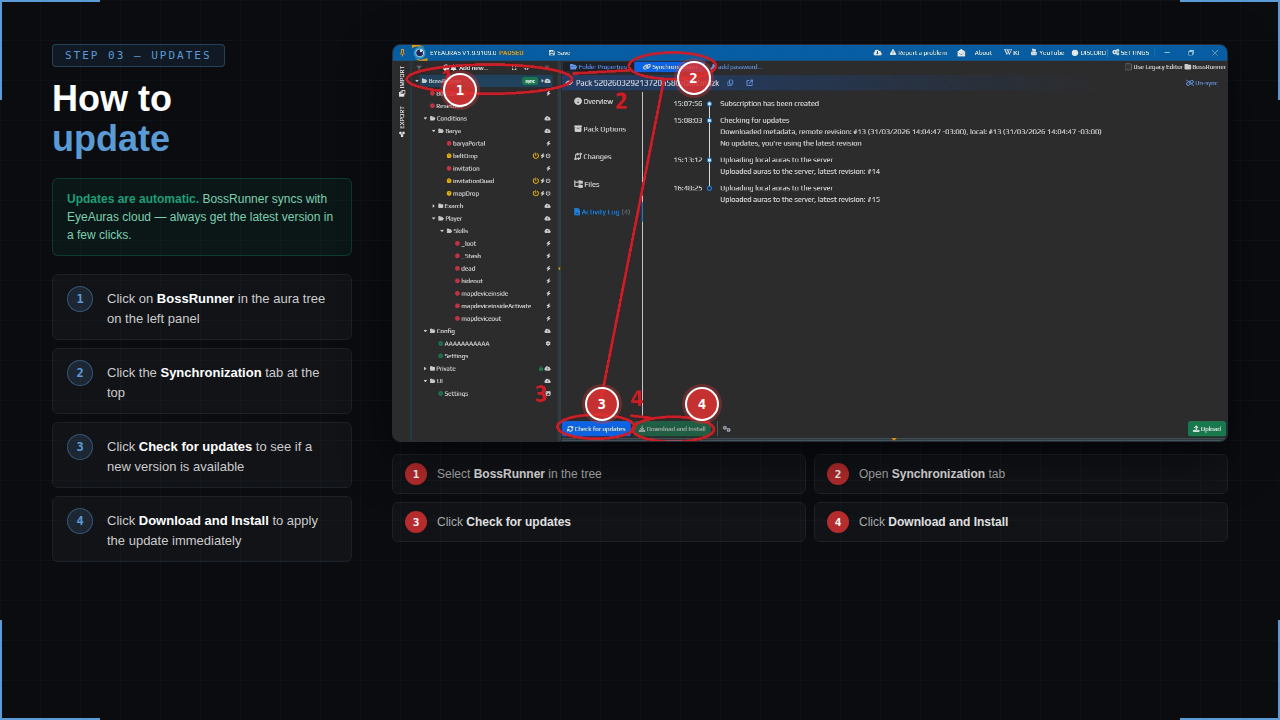
PAID EyeAuras pack
BossRunner automates the full invitation boss-farming loop in Path of Exile:
map device -> invitation -> boss fight -> loot -> hideout -> stash -> restock -> repeat
Built for long farming sessions, live monitoring, Auto Sales, recovery handling, and configurable behavior controls.
Links
Download:
https://eyeauras.net/share/S20260329213720n58CzQMZm3zk
Showcase:
https://www.youtube.com/watch?v=4eO1ujh5aGU
https://www.youtube.com/watch?v=gc4AJhlb3dE
Questions / test key:
Message ruanwesolowski on Discord.
More info on EyeAuras Discord channel:
https://discord.com/channels/636487289689866240/1488656158825644284
Discord invite:
https://discord.gg/edBKVfC2
Support is available for licensed users only.
What BossRunner Does
BossRunner runs the complete bossing cycle:
- opens the map device
- uses the selected invitation
- enters the arena
- executes the boss fight
- handles deaths and recovery
- waits for stable loot
- picks up drops
- returns to hideout
- deposits items
- searches stash tabs for the next invitation
- starts the next cycle
No manual input is required between successful cycles once the setup is correct.
Supported Bosses
- The Black Barya
- Searing Exarch
- Uber Searing Exarch
- Eater of Worlds
- Uber Eater of Worlds
Each boss has its own fight routine, portal handling, loot detection, and recovery flow.
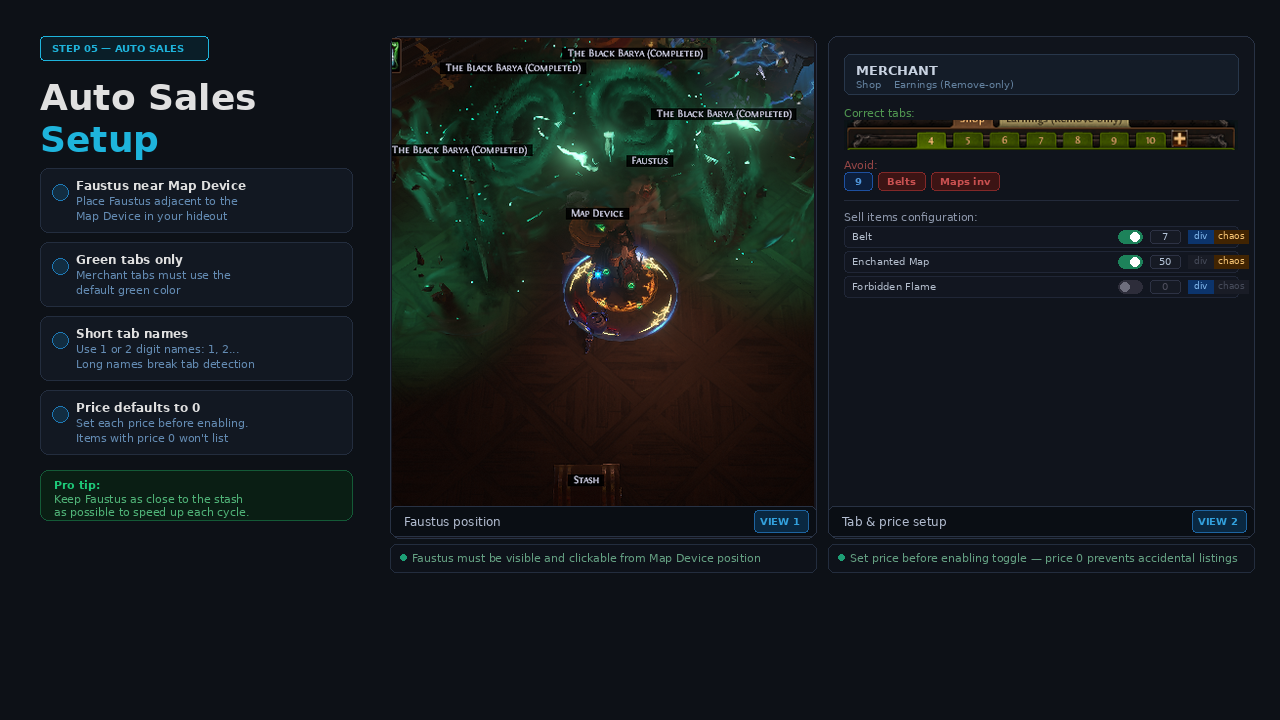
Auto Sales - Faustus Integration
BossRunner can optionally visit Faustus after each cycle and list supported farm items on your Merchant Tabs using prices configured in the overlay.
Features:
- supported boss drops and farm items
- per-item enable/disable
- per-item price field
- Divine / Chaos currency selection
- automatic Merchant Tab navigation
- earnings collection
- stash fallback for remaining items
Supported examples include:
- Belts
- Maps
- Forbidden Flame
- Forbidden Flesh
- Omni
- Nimis
- Ashes
- and other configured items
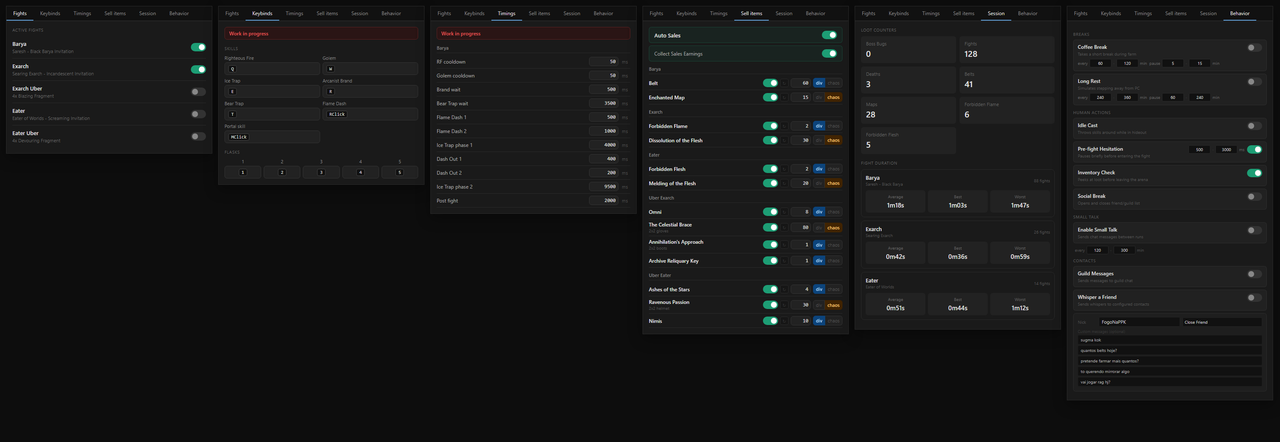
Live Overlay
BossRunner includes a live configuration overlay.
Tabs include:
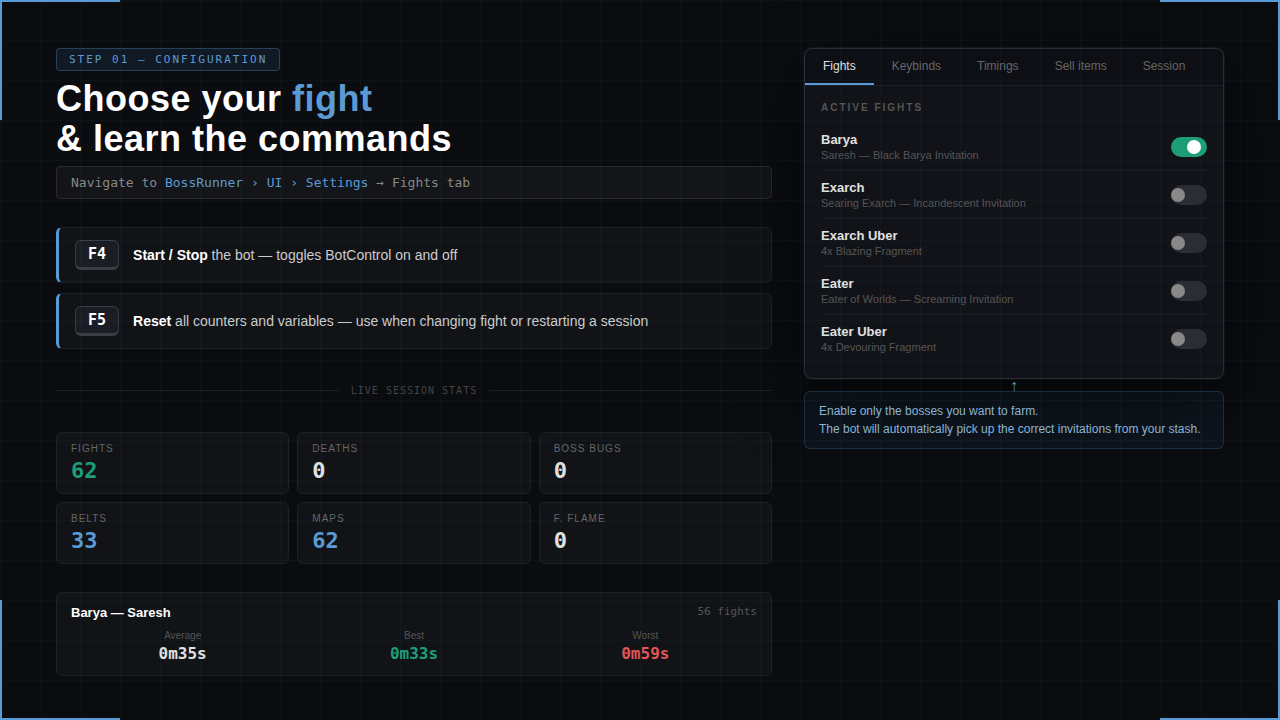
- Fights - enable or disable supported bosses
- Keybinds - match the bot to your in-game setup
- Timings - adjust timing values when needed
- Sell Items - configure Auto Sales prices
- Session - monitor current session stats
- Behavior - configure optional long-session behavior controls
Session stats include:
- completed fights
- deaths
- boss bugs
- loot counters
- average fight time
- best fight time
- worst fight time
Behavior Controls
The Behavior tab adds optional long-session controls without script editing.
Available controls:
- Coffee Break - short configurable pauses during farming
- Long Rest - longer configurable pauses for extended sessions
- Idle Cast - occasional skill cast while waiting in hideout
- Pre-fight Hesitation - optional delay before entering a fight
- Inventory Check - occasional inventory peek after looting
- Social Break - occasional social panel open/close action
BossRunner also includes built-in action delay and click spread controls for small input variation.
Stability And Recovery
BossRunner is designed around a recovery-focused state machine.
Included handling:
- death recovery
- loot stability checks
- inventory-full fallback
- boss bug timeout
- catastrophic fallback
- manual override hotkeys
- session state tracking
- periodic managed memory cleanup
- clear pending/running script ownership
The goal is to keep the farming loop readable, monitorable, and recoverable during long sessions.
Required Setup
Before running BossRunner:
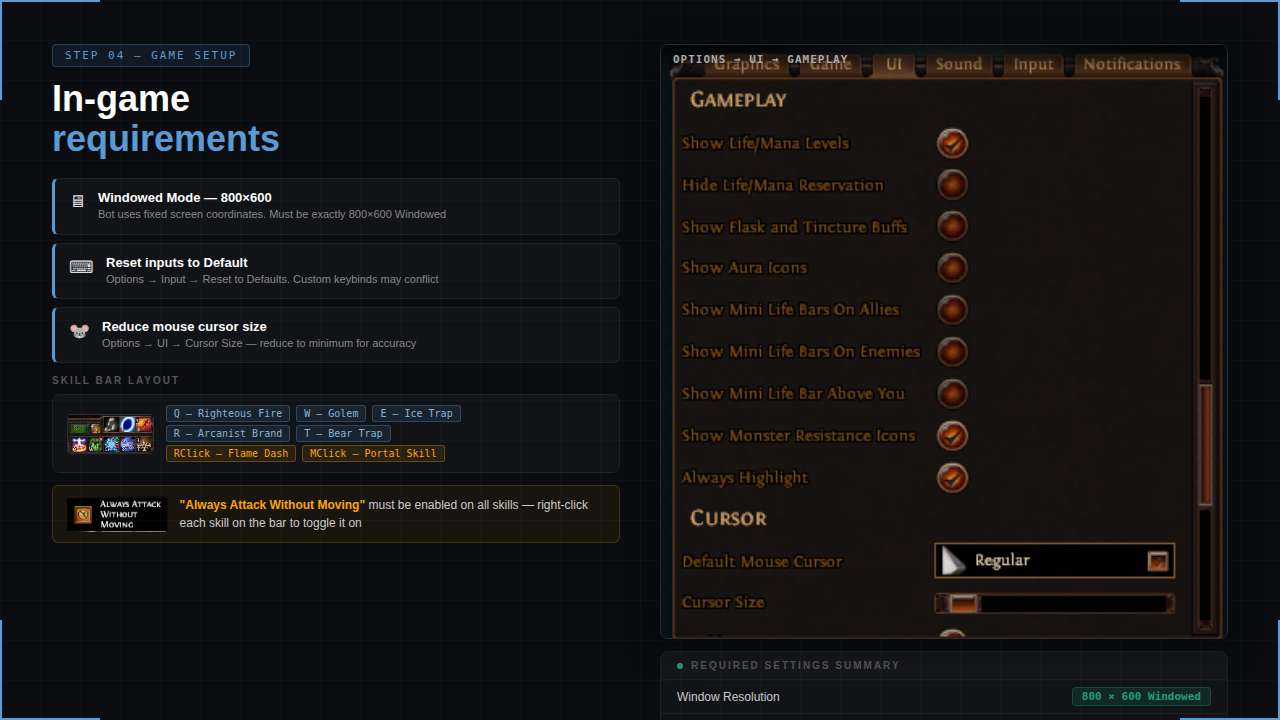
- Reset Path of Exile input settings to default.
- Use 800x600 resolution.
- Set all relevant skills to Always attack without moving.
- Use this skill layout:
- Q - Righteous Fire / nothing
- W - Golem / nothing
- E - Ice Trap
- R - Arcanist Brand / Cursed Ground
- T - Bear Trap
- Middle Click - Portal
- Right Click - Flame Dash
- Make sure everything visible in-game is reflected correctly in EyeAuras.
Example:
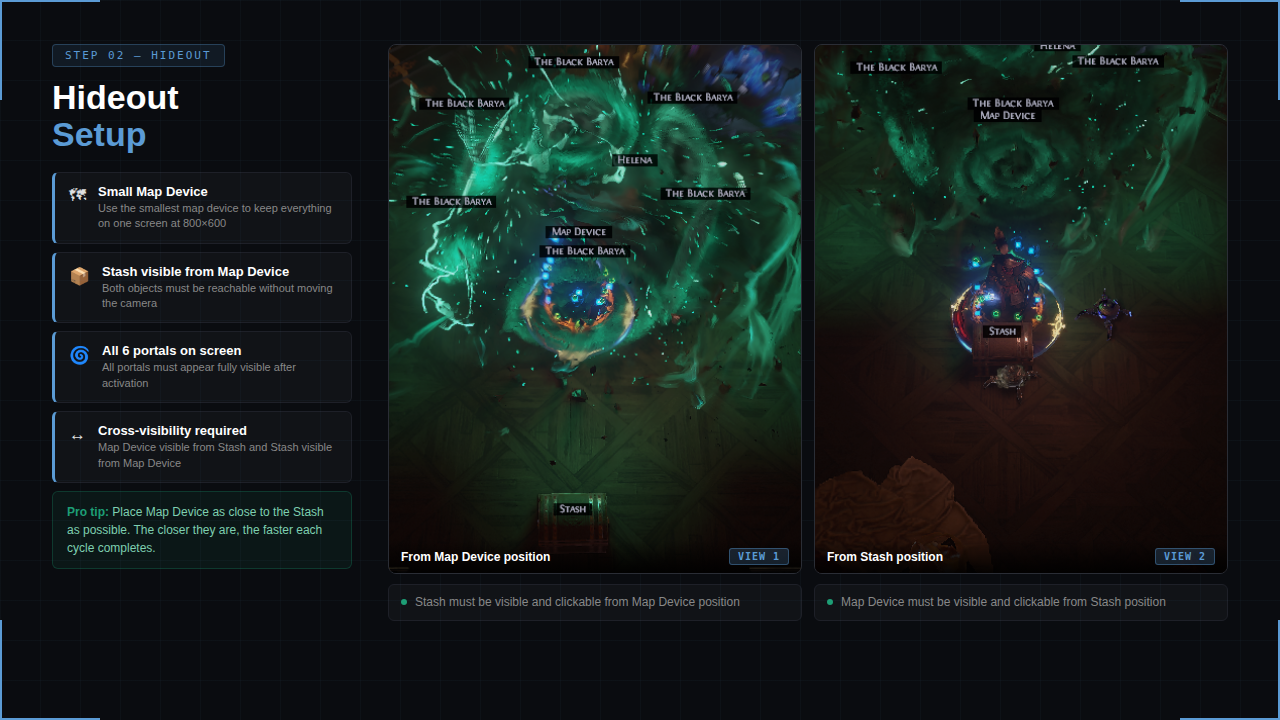
If your stash is visible on screen, _Stash should be green/active on the EyeAuras left panel.
If not, open the _Stash aura and adjust match threshold or image quality.
Some map devices have different Activate button positions.
If mapdeviceinsideActivate is not green/active after right-clicking the invitation, adjust its position/color capture.
You do not need to copy the exact same hideout, but use a clear layout where portals, stash, and map device are visible on the same screen.
Use this bossing loot filter:
https://www.filterblade.xyz/?profile=CB6%232691&saveState=KD5AGIPRVRKNCG&isPreset=false&game=Poe1
Remove flasks, auras, buffs, life bars, and minion UI elements from the UI menu when possible.
These can interfere with loot detection and affect the rotation.
Build used for Barya:
https://pobb.in/VhMzX_7rwy0H
Notes
- This is a paid EyeAuras pack.
- You run it locally on your own PC.
- No account access is required.
- Setup quality matters: resolution, keybinds, hideout layout, and EyeAuras condition matching must be correct.
- Support is available for licensed users only.