Stable
1.9.9774
Daily-driver build with the safest release cadence.
- Updated
- 16 weeks ago
- File Size
- 515.39 MB
- Release Notes
- Open notes
Stable is the recommended track for most users. Alpha gets you the newest capabilities first.
Daily-driver build with the safest release cadence.
Fastest release track with the newest features and experiments.
Every release stays linked here so you can inspect what changed before you switch versions.
Система макросов получила серьёзное обновление: стало больше возможностей и поддерживаемых операций. На практике деревья поведения нередко оказывались довольно сложными для освоения, тогда как макросы изначально задумывались как промежуточный вариант между очень простыми аурами и более продвинутыми behavior trees. Эти изменения не только укрепляют эту роль, но и переносят в макросы многие сильные стороны и аур, и деревьев.
Разберём по порядку.
Это базовая концепция из системы аур. Когда что-то происходит, срабатывает триггер. После этого в ауре последовательно вызываются следующие блоки:
Такое сочетание блоков позволяет описывать множество ситуаций и автоматизировать геймплей. Но ему часто не хватало гибкости — например, нельзя было добавлять дополнительные условия внутри блоков или повторять действия несколько раз. Для аур это и не было основной задачей, а вот для макросов такие возможности принципиальны.
Макросам не хватало только одного: возможности проверять собственное текущее состояние — понимать, должны ли они быть активны в данный момент.
CheckIsActiveИменно для этого добавлен новый узел CheckIsActive. Его единственная задача — позволить телу макроса проверить, активен ли макрос сейчас. Уже одного этого узла достаточно, чтобы макросы могли воспроизводить ту же логику, которую ауры использовали годами.
Вариантов, как может выглядеть такой макрос, много. Вот один из примеров:

Идея простая:
OnEnter) выполняется при входе.WhileActive) на самом деле представляет собой цикл Repeat, который выполняется каждые 250ms, пока макрос остаётся активным.OnExit), где выполняется логика выхода.В ближайшем будущем появятся и дополнительные улучшения, которые сделают создание макросов в стиле аур ещё проще.
Вот ещё один пример — макрос, который ждёт деактивации и выполняет действие только при выходе. Это повторяет поведение ауры, в которой используется только OnExit.

Целый набор узлов, который раньше был доступен только в Behavior Trees, теперь поддерживается и в макросах:
Примечание: первые три узла (Selector/Sequence/Cooldown) особенно полезны внутри блока
Repeat— именно там они раскрываются лучше всего.
Соберём простую ротацию с двумя скиллами и базовой атакой, используя макросы:

Здесь ничего необычного: проверяем кулдауны, затем доступность умений, после чего используем их по порядку. Если скиллы недоступны, выполняется базовая атака.
А вот точно та же самая логика, но уже оформленная внутри макроса:

Логика почти идентична, но теперь ротация строится прямо внутри макроса с помощью цикла, а для управления потоком используется Selector.
Небольшое замечание: судя по этому скриншоту, я немного переборщил с иконками и оформлением — выглядит слишком «шумно». Постараюсь это упростить.
И наконец — в обозримом будущем макросы также можно будет редактировать в графическом виде. Эта функция всё ещё находится в разработке, но для многих пользователей такой формат может быть заметно понятнее и удобнее.

Новый инструмент, который позволяет инициализировать горячие клавиши прямо из скриптов.
[Keybind("p")] // Simple example - triggers when 'p' is pressed
[Keybind("Ctrl+2")] // Triggers only when 'Ctrl + 2' is pressed
[Keybind("Ctrl+2", IgnoreModifiers = true)] // Triggers on ANY combination containing 'Ctrl + 2' (e.g., 'Ctrl + Alt + 2')
public void OnKey(){
    Log.Info("Key pressed");
}

[Keybind(Hotkey = "4", SuppressKey = false)] // Handles the key, but it will still pass through to other apps
public void HandleKeyWithInjectedServices(IAuraEventLoggingService loggingService){
    Log.Info("Key pressed");
    loggingService.LogMessage(new AuraEvent(){ Text = "Message", Loglevel = FluentLogLevel.Info });
}
Если вы где-то в коде используете GetService, значит, вы уже работаете с системой DI в EyeAuras.
Я немного улучшил эту часть, чтобы упростить написание скриптов.
Ниже один и тот же скрипт в трёх вариантах.
Текущий подход — получение API через GetService:
var sendInput = GetService<ISendInputScriptingApi>();
sendInput.MouseMoveTo(200, 100); // Moves the mouse to X200 Y100
sendInput.MouseRightClick(); // Performs a right mouse click
А теперь два новых подхода, которые уже можно (и стоит!) использовать в ваших скриптах.
Я также думаю над автоматическим внедрением текущих API (например, SendInput) прямо в скрипты — это сделает код проще и универсальнее.
Например, для ISendInputScriptingApi имя было бы SendInput (как в примере ниже), для IPlaySoundScriptingApi — PlaySound, а для ComputerVision это могло бы выглядеть примерно так: IComputerVisionExperimentalScriptingApi Cv { get; init; }
Это будет опубликовано отдельным обновлением.
ISendInputScriptingApi SendInput { get; init; } // Automatically initialized when the script starts

SendInput.MouseMoveTo(200, 100); // Moves the mouse to X200 Y100
SendInput.MouseRightClick(); // Performs a right mouse click
И ещё вариант:
[Dependency] ISendInputScriptingApi SendInput { get; set; }

SendInput.MouseMoveTo(200, 100); // Moves the mouse to X200 Y100
SendInput.MouseRightClick(); // Performs a right mouse click
This is kinda huge. Implemented new experimental scripting API, which allows to work with EyeAuras Computer Vision without using Auras at all. All you have to do is write a few lines of code and all the tools built throughout the years are right at your disposal - image search, color search, neural networks, etc.
Note that this API is straight out of oven and is subject to change, not even mentioning bugs and problems - please send your reports
This is how your work with that new API could look like. For starters, lets find and image which is somewhere on the screen.
var cv = GetService<IComputerVisionExperimentalScriptingApi>()
    .ForScreen() //search through entire screen, could be ForWindow - see below
    .EnableOsd(fps: 10); //optional, with enabled on-screen-display refreshed @ 10 fps

var position = cv.ImageSearch(targetImagePath);
if (position.IsEmpty)
{
    Log.Info($"Found @ {position}");
} else {
    Log.Info($"Image not found");
}
That is it - no auras, no triggers, no actions. Everything is right there in these few lines of code. Under the hood, EA will try to optimize all your calls as much as possible, e.g. cache images, cache models, pre-load everything, etc. There is a lot of performance optimization work yet to be done in that area, but even the current state should be more than enough for most tasks.
Here is what we get from the get go:
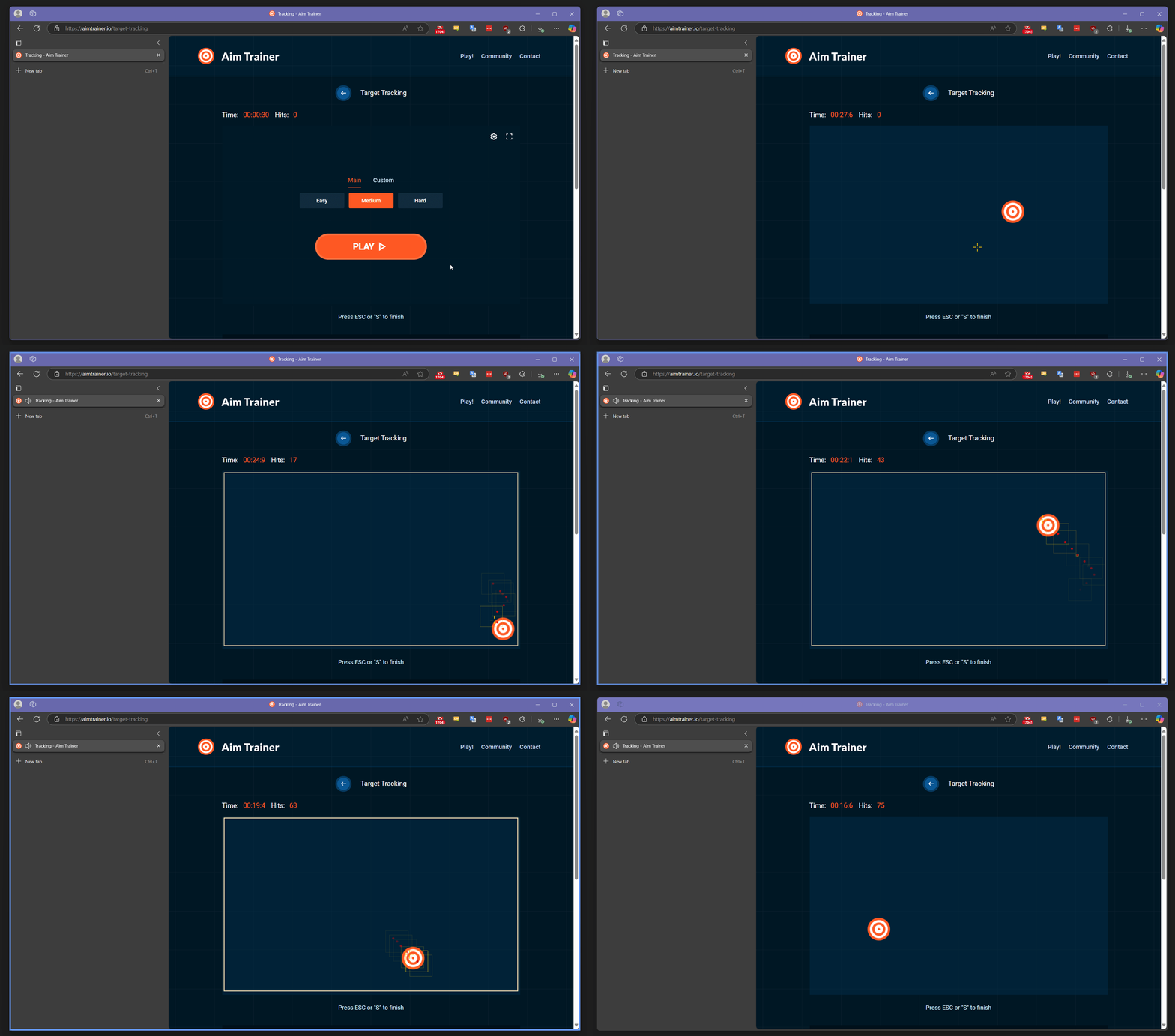
Refresh()This is an example of a bot which tracks and clicks on image (using AimTrainer) Things to note on OSD:
60-80 hits/second :D
//this is an example of a script
//which uses image search to find and follow a specific image inside a window
//It uses 2-times probing for optimization - if we know the previous location of the image
//it makes sense to repeat the search in that specific region first

//picking a window
var windowSelector = GetService<IWindowSelector>();
windowSelector.TargetWindow = "Aim Trainer";
var targetWindow = windowSelector.ActiveWindow ?? throw new InvalidOperationException("Window not found");

//this API is used to do Computer Vision stuff (image/text/color/ml search)
var cv = GetService<IComputerVisionExperimentalScriptingApi>()
    .ForWindow(targetWindow)  //for a specific window
    .EnableOsd(fps: 10); //with enabled on-screen-display refreshed @ 10 fps

//this API is used to generate mouse movements
var sendInput = GetService<ISendInputScriptingApi>();
sendInput.TargetWindow = targetWindow; //for a specific window

//could be either local file or URL
var targetImagePath = @"C:\Users\Xab3r\Documents\ShareX\Screenshots\2025-03\uupb4m3RQkfHa8sv.png";

//repeat until script is stopped
while (true)
{
	  //try to find the image
    var position = cv.ImageSearch(targetImagePath);
    if (position.IsEmpty)
    {
        //not found
        continue;
    }

    Log.Info($"Found @ {position}");

    //found the image - moving the mouse to the center and clicking on object
    sendInput.MouseMoveTo(position.Center());
    sendInput.MouseClick();
}
or, alternatively, this is how the same loop could look like using neural network. ML is expected to be used by more experienced users, currently the method returns raw result in a form of WindowImageProcessedEventArgs - it provides maximum possible amount of control over extracted data
//as with the image, model path could be local or could point to remote file
var mlModelPath = @"https://s3.eyeauras.net/media/2025/03/AimLab_20240213193604OOBfW2f00U5K.onnx";
while (true)
{
    //get predictions from the model
    var result = cv.MLSearchRaw(mlModelPath);
    if (!result.Detected.Predictions.Any())
    {
        //not found
        continue;
    }

    var currentPosition = result //WindowImageProcessedEventArgs
      .Detected //get detection results
    	.Predictions //get predictions
    	.First() //more specifically, first one
      .Rectangle //get bounding box of that prediction IN LOCAL(aka World) coordinates
      .Transform(result.ViewportTransforms.WorldToWindow); //transform World coordinates to Window coordinates
    Log.Info($"Found via ML @ {currentPosition}");

    if (!currentPosition.IsEmpty)
    {
        //found the image - moving the mouse to the center
        sendInput.MouseMoveTo(currentPosition.ToWinRectangle().Center());
        sendInput.MouseClick();
    }
}
Alongside the new api, we needed more convenient tools which would allow to work with it. The main idea of those is that you use them to get some values which could then be inserted into the code, be it coordinates, color, window title or process name. This should greatly speedup process of development, especially for smaller scripts.
The list includes:

var pixelLocation = cv.PixelSearch(Color.FromArgb(26, 26, 26)); //<- Color.FromArgb(26, 26, 26) inserted by Color selector
var cv = GetService<IComputerVisionExperimentalScriptingApi>().ForWindow("l2.bin"); //<- "l2.bin" inserted by Process selector
cv.MLSearchRaw(mlModelPath, new Rectangle(719, 406, 988, 584)); //<- new Rectangle(719, 406, 988, 584) inserted by Region selector
sendInput.MouseMoveTo(new Point(190, 393)); //<- new Point(190, 393) inserted by Point selector
When you work with coordinates, do not forget that those could be either absolute(screen) or relative(window). Depending on use-case, one or another could be preferential. New tools support both - there are 2 different kinds of instruments, use at your own discretion.

SendInputUnstableScriptingApi to SendInputScriptingApi - there were no changes for almost a year, looks stable enoughPercentage which could be used to denote that the value is in % (e.g. 0.1 = 10%)OpacityWorldToWindow transformation matrix to WindowImageProcessedEventArgs - this allows to very easily calculate in-window coordinates after Refresh()R and G color channels were swappedNon-authorized users are not allowed to update sharesСерьёзно изменён способ управления памятью для изображений в EyeAuras.
Может как улучшить работу, так и всё сломать — посмотрим.
Для демонстрации и быстрого тестирования добавлен селектор, который позволяет скачать одну из популярных моделей Yolo, включая варианты с Segmentation и Classification.
Селектор доступен только если модель ещё не загружена.

Например, вот результаты для Yolo 8 Small - Segmentation:

А вот результаты для новой Yolo 12 Turbo - Small — обратите внимание, что сейчас даже версия Turbo не только даёт более надёжные результаты, но и умеет обнаруживать больше объектов в сцене (например, человека в машине). Спасибо, прогресс :)

Ломающее изменение
Когда вы используете ML-модель, у неё обычно есть жёстко заданное разрешение, например 640x640.
Когда в ML-модель подаётся изображение, его обязательно нужно привести к разрешению модели — иначе нельзя.
В зависимости от того, как обучалась модель, обычно используется либо Letterboxing (добавление чёрных полос без изменения соотношения сторон), либо Stretching.
Раньше EyeAuras пыталась автоматически «угадать» лучший метод в зависимости от типа и версии модели, но это скорее вносило путаницу, чем помогало.
Поэтому теперь методом Resize по умолчанию является Stretching. Если нужен другой вариант — просто добавьте эффект Resize и выберите метод, который лучше подходит вашей модели.
Откройте окно Effects.

Добавьте эффект Resize и настройте его в соответствии с разрешением и типом вашей модели.

Добавлена новая опция, которая решает сразу две задачи.
1) Снизить порог входа для новых пользователей
Практика показала, что многие новые пользователи, получив ссылку на страницу пака, вместо скачивания самого пака с совместимой версией EyeAuras и скриптами выбирают отдельную standalone-версию и затем импортируют пак вручную. Это может приводить к ряду проблем:
Alpha, а пользователь скачает Stable — чаще всего Stable несовместима, потому что она старее и в ней меньше функциональности;2) Упростить поддержку паков для авторов
Если авторы на 100% уверены, что пользователи работают с конкретной portable-версией EA, им гораздо проще проводить отладку и разбирать проблемы. В долгосрочной перспективе это должно заметно упростить поддержку.
Any → пользователи могут либо Import скрипт, либо Download PackPrefer Packed → пользователи также могут либо Import скрипт, либо Download Pack, но акцент будет сделан на скачивании упакованной версииPacked Only → пользователи могут только Download Pack, а Import в любом виде недоступен
Функциональность не потеряна — всё по-прежнему можно редактировать через интерфейс EyeAuras.
Ранее опции Packaging можно было изменять как в десктопном приложении EA, так и на сайте (название приложения, параметры конфигурации и т. д.).
Сейчас я меняю общую логику работы packaging, и чтобы сделать её стабильнее, редактирование опций пака на сайте было отключено.
В будущем это может вернуться, но на данный момент основной способ редактирования Packaging Options — через интерфейс EyeAuras.

This is a new functionality in scripting subsystem which allows you to embed custom files right into EyeAuras - CSS/JS/Markdown/etc.
This will allow you to use custom JS/CSS in your BlazorWindows, some configuration/data files, bring up custom DLLs, etc.
Here is an example: https://wiki.eyeauras.net/en/scripting/examples/basic/file-provider
(README.md is a custom file added to the script)
//built-in FileProvider which allows to access script environment files
var fileProvider = GetService<EyeAuras.Repl.IScriptFileProvider>();

var files = fileProvider.GetDirectoryContents("/");
Log.Info($"Script files:\n\t{files.DumpToTable()}");

var readmeContent = fileProvider.ReadAllText("README.md"); //or fileProvider.GetFileInfo() to get access to raw data
Log.Info($"README:\n{readmeContent}");
For the next few weeks only subset of all file types will be supported. As soon as I'll be sure that the system works, support will be extended and any arbitrary file could be embedded into your script and will be available to use right from your code.
Move To Parent option to Aura TreeДобавили новую удобную функцию — PopOut для BT и макросов. Эта кнопка позволяет открыть ваш макрос или BT в отдельном окне в режиме только для чтения.
В отдельном окне в реальном времени отображается текущее состояние, а также можно вручную запускать дерево/макрос.

CodeEditor в развернутом виде