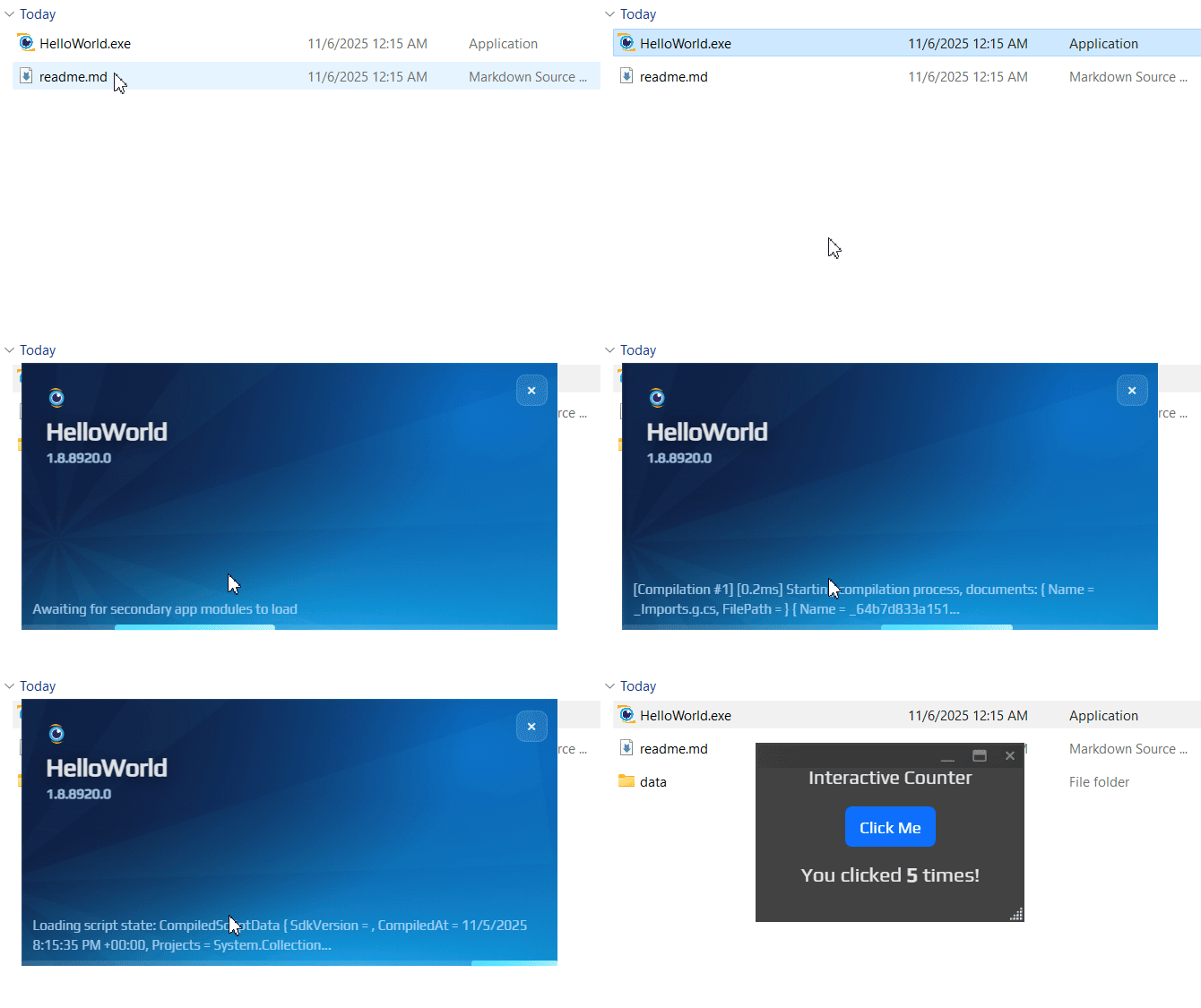
THAT IS AN EARLY ALPHA OF A WHOLE BUNCH OF TECHNOLOGIES, COULD EXPLODE RIGHT IN YOUR FACE AT ANY GIVEN MOMENT
Hello, World Explorer
How to get the same result
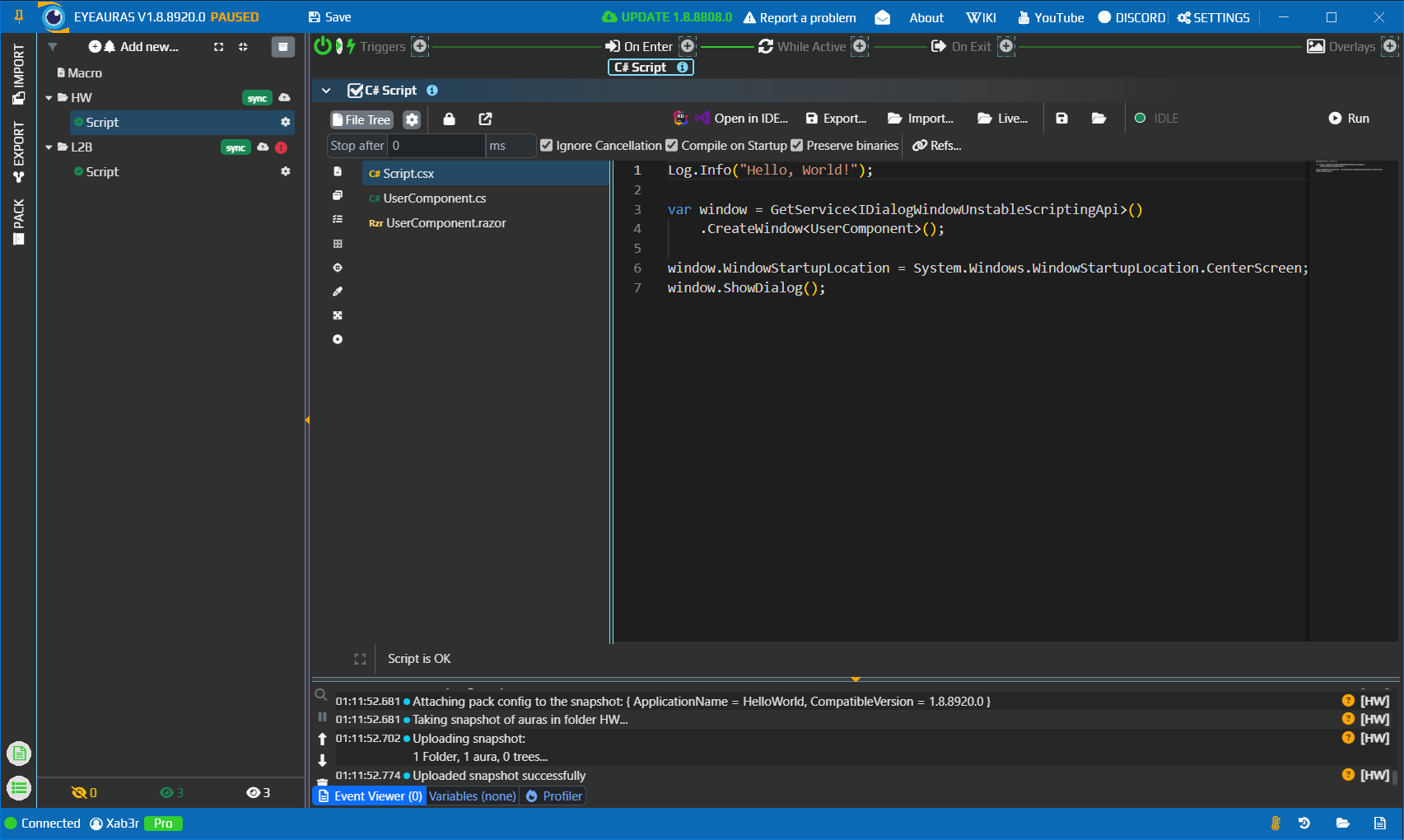
Create Script
Create a folder, e.g. HW
Add and aura and name it Script
Add some code which will open up dialog window, will draw OSD or do something useful.
Important! That script is expected to be running for the entire life span of your app! As soon as the script terminates, the app will be closed as well. Your script IS the app!
Script
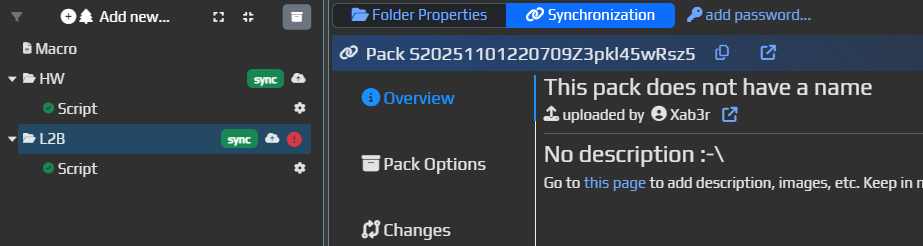
Publish it
Right click on the folder HW -> Publish -> Publish
Now you have Published script which you can update.
You can go to the website (link at the top), modify description, add images, etc. Also you can update the entire pack itself whenever needed by clicking on Upload
Empty Pack
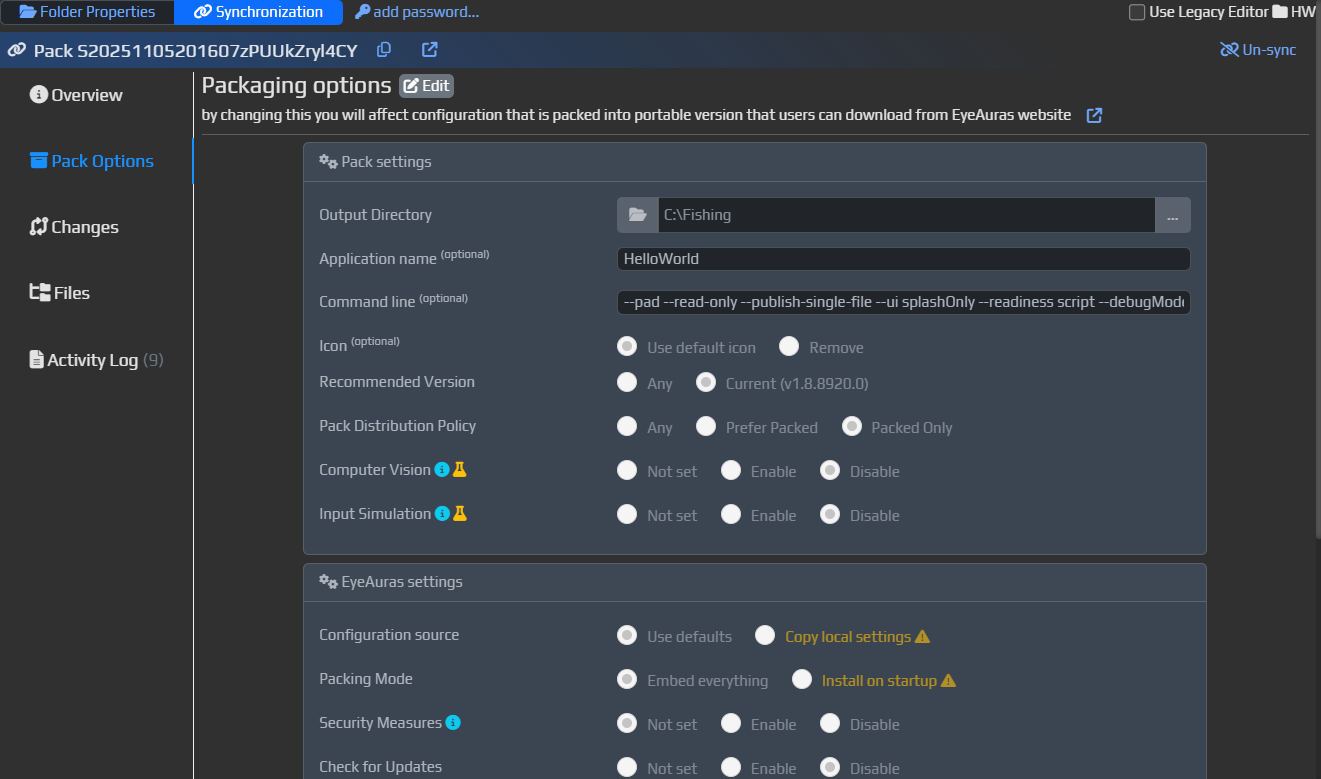
Pack Config
Go to Synchronization -> Pack Config
Click on Edit
Now you can modify different options of the Pack, these options will change how it behaves, what modules are loaded, all the tiny details
There is also a way to add additional command line arguments which cover those options which are not reflected in UI yet
Packs config
Command line arguments
This specific pack uses the following command line:
--pad - switches EyeAuras to use the newer underlying UI - required for mini-apps to function
--read-only - (optional, false by default) - this option makes it so changes in Auras/Macros/BehaviorTrees/Scripts are NOT preserved across launches. This gives you more consistency across launches.
--publish-single-file - (optional, false by default) - this option enforces use of a new mechanism that allows to re-build EyeAuras from scratch and embed your scripts into it. So instead of a bunch of different files you get only one executable. All your configs/scripts/resources are neatly packed and encrypted inside the binary itself
--ui splashOnly - (optional, normal by default) - this tells EA to close its own UI as soon as the app is ready. Readiness is controlled separately.
--readiness script - (optional, app by default) - this switch controls who decides when the app is ready. It could be the app itself - then Splash screen will be closed as soon as EyeAuras completed its loading. Or it could be the script. Having it set to script makes overall UX better as Splash instantly switches to your own UI ASAP
--acceptLicense - (optional, false by default) - this switch allows to skip default EyeAuras license agreement. Available only if that is a mini-app.
"config/auras/HW/Script.json" - last argument tells EyeAuras what script to run as soon as it got loaded. As soon as that script terminates, the entire app will also be brought down
![[MiniApp Demo] Hello, World! share preview](https://s3.eyeauras.net/media/2025/11/Wu2O1lIf2D.jpg "[MiniApp Demo] Hello, World! share preview")
 1.8.8920.0